
Affiliate disclosure: Smarthomegen is reader-supported. As an Amazon Associate we earn from qualifying purchases, at no extra cost to you. Prices change often, so check the current price on Amazon before you buy.
Shopping for a smart home hub in 2026 is confusing because “hub” now covers several jobs. Some talk to cheap Zigbee sensors, some act as a Thread border router for new Matter gadgets, some are an Echo or Apple TV quietly doing hub duty, and some are local-control boxes that keep automations running when the internet goes down.
Below are our picks for Alexa, Apple Home (HomeKit), Google Home, SmartThings and Home Assistant homes, a comparison table, and straight answers to the questions people ask before buying. With Prime Big Deal Days on October 6–7, 2026 and Apple reportedly preparing new home hardware for mid-October, we cover timing too.
Quick picks: the best smart home hubs in 2026
- Best overall (works with every ecosystem): Aqara Hub M3
- Best for Alexa homes: Amazon Echo Hub
- Best for Apple Home / HomeKit: Apple TV 4K (Wi-Fi + Ethernet) or HomePod mini, but read our timing note
- Best for Google Home: Google TV Streamer
- Best for Z-Wave + Zigbee homes: Aeotec Smart Home Hub (SmartThings)
- Best local-control hub without tinkering: Hubitat Elevation C-8 Pro
- Best for power users: Home Assistant Green + Connect ZBT-2
- Best for smart lighting: Philips Hue Bridge Pro
- Best for renters and IR remotes: SwitchBot Hub 3
First, do you even need a smart home hub?
Maybe not a separate one. Check what you already own:
- Only Wi-Fi gadgets (most plugs, cameras, doorbells, robot vacuums): no hub needed; good Wi-Fi matters more.
- Matter-over-Wi-Fi devices: you need a Matter controller (a recent Echo, Nest speaker or display, Apple TV, HomePod or SmartThings hub).
- Matter-over-Thread devices (many new sensors, locks, blinds, bulbs): you need a Thread border router, built into the HomePod mini, Apple TV 4K (Wi-Fi + Ethernet), Google TV Streamer, Echo Hub and Amazon’s 2025 Echo Dot Max, Echo Show 8 and Echo Show 11.
- Zigbee devices (cheap sensors, buttons, Aqara gear): you need a Zigbee coordinator such as a Zigbee-equipped Echo, Aqara, SmartThings, Hubitat or Home Assistant.
- Z-Wave devices (older security systems, locks, in-wall switches): you need SmartThings/Aeotec, Hubitat or Home Assistant.
Rule of thumb: pick a hub by your devices’ radios and the app your household wants to live in.
The best smart home hubs, reviewed
1. Aqara Hub M3: best overall, multi-ecosystem bridge
Who it’s for: anyone who wants one small box that speaks Zigbee, Thread and Matter and shares devices with Apple Home, Alexa, Google Home and SmartThings at the same time. Great for mixed iPhone/Android households.
The M3 is a Zigbee 3.0 coordinator, a Thread border router and a Matter controller in one. It can also act as a Matter bridge, which means inexpensive Aqara Zigbee sensors show up in Apple Home, Alexa or Google Home as if they were native Matter devices. It adds a built-in infrared blaster for older TVs and air conditioners, and it offers Ethernet with Power over Ethernet (PoE), so you can put it in a central spot without a wall outlet. Aqara-app automations can run locally.
Watch out for: there’s no Z-Wave radio, and you’ll still need an Aqara account for setup. If you only ever use Alexa, an Echo with a built-in hub may be all you need.
Check current price of the Aqara Hub M3 on Amazon
2. Amazon Echo Hub: best for Alexa homes
Who it’s for: Alexa households, especially those with Ring cameras or doorbells, that want a wall-mounted control panel instead of shouting at a speaker.
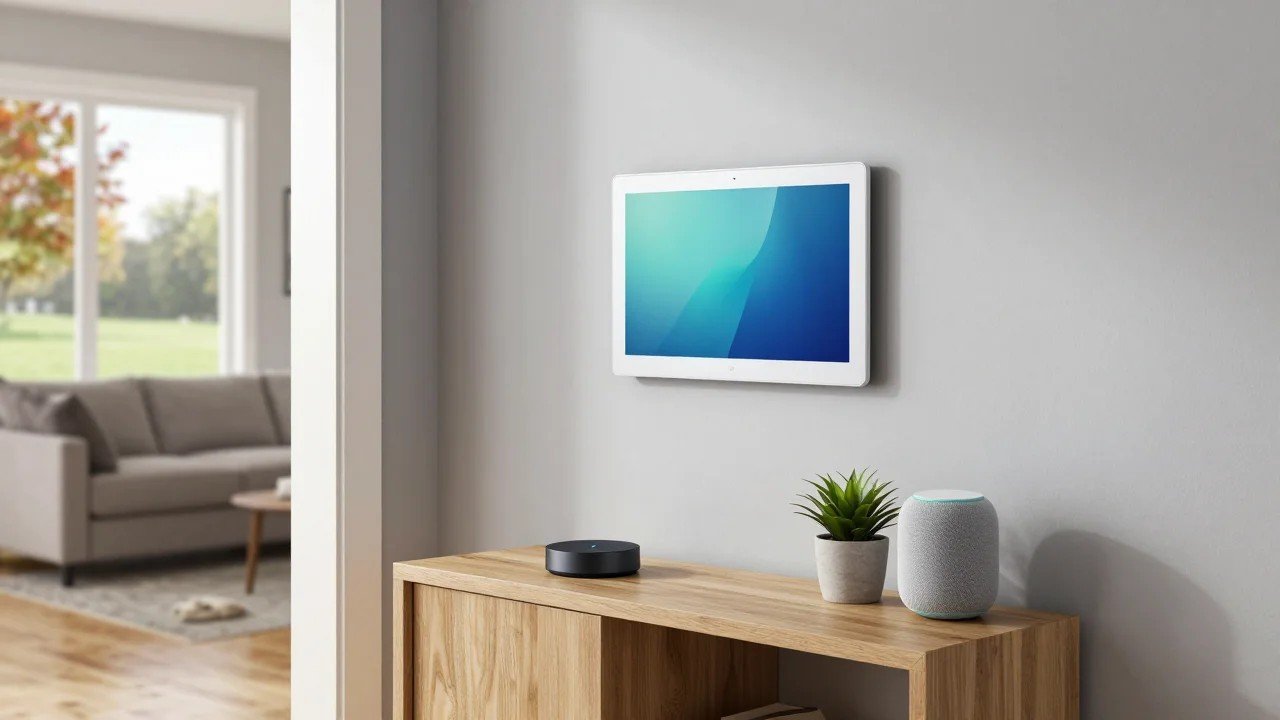
The Echo Hub is an 8-inch touchscreen dashboard built for smart home control. Mount it on a wall or a stand for one-tap tiles and camera feeds. Inside, it’s a full smart home hub with Zigbee, a Thread border router and a Matter controller, so it can run most of a typical Alexa smart home with no extra hardware.
Watch out for: it only speaks Alexa. If you don’t want a screen, the 2025 Echo Dot Max and Echo Show 11 also include Zigbee, Matter and a Thread border router.
Check current price of the Amazon Echo Hub on Amazon
3. Apple TV 4K (Wi-Fi + Ethernet) or HomePod mini: best for Apple Home
Who it’s for: iPhone households that want everything in the Apple Home app, with Siri control and remote access.
Apple Home requires a home hub for automations, remote control and adding Matter accessories. A HomePod mini or an Apple TV 4K (3rd generation, Wi-Fi + Ethernet model) works as that home hub and as a Thread border router. Note that the cheaper Wi-Fi-only Apple TV model doesn’t include Thread. Apple doesn’t support Zigbee directly, so pair it with an Aqara hub or a Hue bridge if you want inexpensive Zigbee sensors or bulbs.
Timing note: Bloomberg reports that Apple plans to unveil a refreshed HomePod mini, a new Apple TV and a long-rumored screen-based home hub around October 13, 2026. If you’re buying for Apple Home and you don’t need a hub this week, waiting two weeks is the smart move.
Check current price of the Apple TV 4K on Amazon · Check current price of the HomePod mini
4. Google TV Streamer: best for Google Home
Who it’s for: Android and Nest households, especially if the TV also needs a new streaming box.
The Google TV Streamer acts as a Google Home hub: it’s a Matter controller and a Thread border router, and it lets you check cameras and control devices from the TV. Google’s newer Gemini-powered Google Home Speaker and the Nest Hub (2nd gen) display can also handle Matter and Thread. Like Apple, Google has no native Zigbee, so bridge Zigbee gear through Aqara or Hue.
Watch out for: Google Home automations are improving but still less flexible than SmartThings, Hubitat or Home Assistant.
Check current price of the Google TV Streamer on Amazon
5. Aeotec Smart Home Hub (SmartThings): best for Z-Wave and Zigbee
Who it’s for: homes that already own Z-Wave locks, switches or sensors (for example from an old security system) plus Zigbee gear, and want one app that works on iPhone and Android.
This is the official SmartThings hub hardware made by Aeotec. It carries both Zigbee and Z-Wave radios and adds Matter support through the SmartThings platform, which has one of the largest device-compatibility lists around.
Watch out for: if you also plan to buy Matter-over-Thread devices, confirm that your model includes Thread or add a Thread border router (a SmartThings Station, a recent Echo or a Nest device works). Set it up in the SmartThings app, not the Aeotec one.
Check current price of the Aeotec Smart Home Hub on Amazon
6. Hubitat Elevation C-8 Pro: best local control without the learning curve
Who it’s for: people who want automations that run in the house and survive internet outages, without learning Home Assistant.
The C-8 Pro handles Zigbee, Z-Wave (including Long Range for detached garages) and Matter, all processed locally. Its Rule Machine engine is very powerful, and the community writes drivers for unusual devices. There’s no required subscription for the core features.
Watch out for: a plain web dashboard, and Thread devices need a separate border router.
Check current price of the Hubitat C-8 Pro on Amazon
7. Home Assistant Green + Connect ZBT-2: best for power users
Who it’s for: tinkerers who want one dashboard for every brand they own, fully local control, and no lock-in.
Home Assistant Green is a plug-and-play box with Home Assistant preinstalled. It connects by Ethernet and has no smart home radios of its own, so add the Connect ZBT-2 USB adapter for Zigbee or Thread (it runs one protocol at a time; buy two if you want both) and the Connect ZWA-2 if you need Z-Wave. Home Assistant can share its devices into Apple Home, Alexa and Google Home, which lets each family member keep their favorite app.
Watch out for: a real learning curve; easy remote access needs the optional paid Home Assistant Cloud or your own VPN.
Check current price of Home Assistant Green on Amazon · Connect ZBT-2
8. Philips Hue Bridge Pro: best for smart lighting
Who it’s for: homes with lots of Hue bulbs, light strips, dimmer switches and motion sensors, or anyone planning to grow past the old bridge’s device limit.
Hue’s newest bridge handles far more lights and accessories than the original, runs lighting automations locally, and shares Hue lights with Apple Home, Alexa and Google Home via Matter. It also supports Hue’s MotionAware feature, which turns compatible lights into motion sensors.
Watch out for: it’s a lighting hub first. Don’t expect it to run your locks or thermostat.
Check current price of the Philips Hue Bridge Pro on Amazon
9. SwitchBot Hub 3: best for renters and IR remotes
Who it’s for: renters who can’t rewire anything, and anyone who wants to automate “dumb” devices such as window AC units, fans, TVs and soundbars that use infrared remotes.
The SwitchBot Hub 3 is a learning IR blaster, a bridge for SwitchBot’s curtain, blind, lock and button devices, and a Matter bridge that exposes them to Apple Home, Alexa and Google Home. It also has a small display, a physical dial for quick scenes, and a built-in temperature and humidity sensor that can trigger your AC or fan automatically.
Watch out for: it doesn’t control Zigbee or Z-Wave devices. Think of it as a companion to a main hub, not a replacement.
Check current price of the SwitchBot Hub 3 on Amazon
Smart home hub comparison table
| Hub | Best for | Zigbee | Thread border router | Z-Wave | Matter | Main app / ecosystems |
|---|---|---|---|---|---|---|
| Aqara Hub M3 | Mixed ecosystems | Yes | Yes | No | Controller + bridge | Aqara; shares to Apple Home, Alexa, Google, SmartThings |
| Amazon Echo Hub | Alexa homes, wall panel | Yes | Yes | No | Controller | Alexa |
| Apple TV 4K (Wi-Fi + Ethernet) / HomePod mini | Apple Home | No (use a bridge) | Yes | No | Controller | Apple Home |
| Google TV Streamer | Google Home | No (use a bridge) | Yes | No | Controller | Google Home |
| Aeotec Smart Home Hub | Z-Wave + Zigbee | Yes | Check model | Yes | Controller (SmartThings) | SmartThings; works with Alexa, Google |
| Hubitat Elevation C-8 Pro | Local control | Yes | No (use existing one) | Yes, incl. Long Range | Controller | Hubitat; integrates with Alexa, Google, HomeKit |
| Home Assistant Green + ZBT-2 | Power users | Via ZBT-2 | Via ZBT-2 | Via ZWA-2 | Controller | Home Assistant; shares to Apple, Alexa, Google |
| Philips Hue Bridge Pro | Lighting | Hue devices | No | No | Bridge | Hue; shares to Apple, Alexa, Google |
| SwitchBot Hub 3 | Renters, IR devices | No | No | No | Bridge (SwitchBot devices) | SwitchBot; shares to Apple, Alexa, Google |
How to choose the right hub
1. Start with your household’s app
The app everyone actually opens matters most. All-iPhone homes should build on Apple Home, Echo-everywhere homes on an Echo with a built-in hub, and mixed homes on a neutral bridge such as the Aqara M3 or SmartThings that shares devices to several apps through Matter.
2. Match the radios to your devices
Zigbee sensors need a Zigbee coordinator, Z-Wave locks need Z-Wave, and Matter-over-Thread gear needs a Thread border router. Having more than one border router is fine and can extend coverage.
3. Don’t forget the network
A hub is only as reliable as your network. Wire Ethernet-capable hubs where you can; if Wi-Fi doesn’t reach the whole house, a mesh system like the one in our TP-Link Deco 7 Pro Wi-Fi 7 review fixes more “smart home” problems than any hub will.
4. Plan around security cameras and doorbells
Cameras and doorbells use Wi-Fi and their own apps, but look best on a hub with a screen: Ring devices, like the one in our Ring Battery Doorbell review, pair naturally with an Echo Hub or Echo Show.
Should you buy now or wait for Prime Big Deal Days?
Prime Big Deal Days run October 6–7, 2026. Amazon’s own Echo devices are historically among the deepest discounts, so Echo Hub, Echo Show or Echo Dot Max shoppers should wait a few days. Aqara, SwitchBot and Hue often get Prime discounts too, though less predictably. Apple buyers should wait for Apple’s expected mid-October announcement. Hubitat and Home Assistant hardware rarely get big discounts. (Shopping for other gear during the sale? See our robot vacuum buy-now-or-wait guide.)
Smart home hub FAQ
Do I need a hub for Matter devices?
You need a Matter controller, but it doesn’t have to be a dedicated hub. Recent Echo speakers and displays, Nest speakers and displays, the Google TV Streamer, the Apple TV and HomePod, and SmartThings hubs all work as Matter controllers. Matter-over-Thread devices also need a Thread border router, which many of those same devices include.
What’s the difference between Zigbee, Thread and Matter?
Zigbee and Thread are low-power mesh radios. Matter is a common language that lets any brand work with Apple Home, Alexa, Google Home and SmartThings. Matter runs over Wi-Fi, Ethernet or Thread; older Zigbee devices join Matter through a bridge such as the Aqara M3 or Hue Bridge Pro.
Does Alexa work as a smart home hub?
Yes, on the right models. Amazon lists the Echo Hub, Echo (4th Gen), Echo Dot Max, Echo Show 8 (2025), Echo Show 11, Echo Show 15 (2nd Gen) and Echo Studio (2025), among others, as having a built-in Zigbee hub, and many also act as a Matter controller and Thread border router. A standard Echo Dot doesn’t include Zigbee.
Is HomeKit compatible with Zigbee?
Not natively. Apple Home talks to Thread, Wi-Fi and Matter accessories. To use Zigbee devices in Apple Home, add a bridge such as the Aqara Hub M3 or Philips Hue Bridge Pro, or run Home Assistant and share devices through its HomeKit Bridge.
Can I use more than one hub?
Yes. Many homes run a Hue bridge for lights, an Aqara hub for sensors and an Echo or Apple TV as the main controller. Matter’s multi-admin feature lets one device appear in several apps.
Do smart home hubs need a subscription?
None of these hubs require one for basic control. Optional paid extras include Home Assistant Cloud (remote access and voice) and Hubitat’s optional cloud/backup plan. Camera storage plans belong to the camera brand, not the hub.
What happens to my smart home if the internet goes down?
Local hubs such as Hubitat and Home Assistant keep running automations, and many Zigbee, Thread and Matter devices keep working. Cloud routines, voice assistants and remote access pause until it returns.
Bottom line
For most homes, the Aqara Hub M3 is the most flexible single purchase: it bridges Zigbee, Thread and Matter into whichever app your family prefers. Alexa homes should look at the Echo Hub (ideally on sale October 6–7), Apple homes should wait for Apple’s mid-October news, and anyone with Z-Wave gear should go with SmartThings/Aeotec or Hubitat. If you love tinkering, Home Assistant Green has the highest ceiling of them all.
Links go to Amazon search results so you can compare current prices, sellers and bundles.