
Affiliate disclosure: SmartHomeGen earns a commission from qualifying Amazon purchases made through links on this page, at no extra cost to you. Prices change often, so always check the current price on Amazon before you buy.
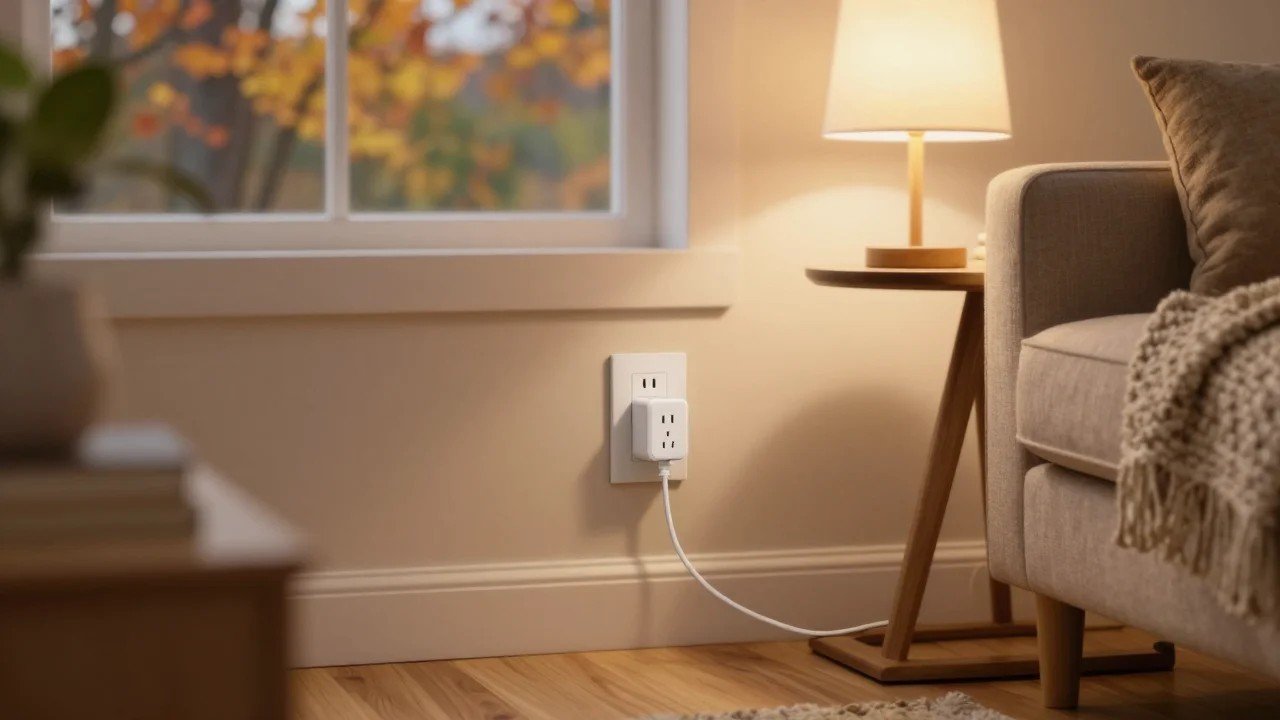
A smart plug is the cheapest, easiest way into a smart home. You plug it into an ordinary outlet, plug a lamp, fan, or coffee maker into it, and suddenly that “dumb” device can run on a schedule, turn on with your voice, or switch off from your phone when you’re already halfway to work. No wiring, no electrician, and usually no hub.
The catch is that smart plugs look almost identical on Amazon, yet they behave very differently once they’re in your home. Some work with every major platform through Matter, some only talk to Alexa, some track how much electricity your devices use, and a few are built to survive rain on the porch. With Amazon Prime Big Deal Days wrapping up on October 7, 2026 and smart plugs among the most discounted items of the event, this guide shows you which plug fits which home, and answers the questions shoppers ask most before they buy.
Quick picks: the best smart plugs of 2026
- Best overall: Kasa Smart Plug Mini with Matter (KP125M), works with Alexa, Google Home, Apple Home and SmartThings, and tracks energy use
- Best budget Matter plug: Tapo Smart Plug Mini with Matter (P125M), usually sold in multi-packs
- Best for Apple Home and Thread: Eve Energy (Matter)
- Simplest for Alexa homes: Amazon Smart Plug
- Best outdoor plug: Kasa Smart Outdoor Plug (2 sockets, weather resistant)
- Best for Philips Hue users: Philips Hue Smart Plug
- Best permanent upgrade: Kasa Smart In-Wall Outlet (KP200)
Comparison table
| Plug | Best for | Works with | Connection | Energy monitoring | Price |
|---|---|---|---|---|---|
| Kasa KP125M (Matter) | Most homes | Alexa, Google, Apple Home, SmartThings | Wi-Fi (2.4 GHz) + Matter | Yes | Check current price |
| Tapo P125M (Matter) | Many plugs on a budget | Alexa, Google, Apple Home, SmartThings | Wi-Fi (2.4 GHz) + Matter | No | Check current price |
| Eve Energy (Matter) | Apple Home, Thread networks | Apple Home, Alexa, Google, SmartThings | Thread + Matter | Yes | Check current price |
| Amazon Smart Plug | Alexa-only homes | Alexa | Wi-Fi (2.4 GHz) | No | Check current price |
| Kasa Smart Outdoor Plug | Porch, patio, holiday lights | Alexa, Google | Wi-Fi (2.4 GHz) | Model dependent | Check current price |
| Philips Hue Smart Plug | Hue lighting setups | Hue app, Alexa, Google, Apple Home (via Hue Bridge) | Zigbee / Bluetooth | No | Check current price |
| Kasa KP200 In-Wall Outlet | Homeowners who want a clean look | Alexa, Google | Wi-Fi (2.4 GHz) | No | Check current price |
How to choose a smart plug (the 60-second version)
Before you compare brands, answer three questions. They decide 90% of the choice.
- Which voice assistant or app runs your home? If you use more than one (say, Alexa in the kitchen and an iPhone in your pocket), buy a plug with Matter support. Matter is the shared standard that lets one plug show up in Alexa, Google Home, Apple Home and SmartThings at the same time. If you only ever use Alexa, a simpler Alexa-only plug is fine.
- Do you care what your devices cost to run? Energy monitoring shows real-time watts and monthly usage. It’s genuinely useful for space-hungry devices like dehumidifiers, aquarium heaters, gaming PCs, or an old fridge in the garage. For a bedside lamp, skip it and save money.
- Indoors or outdoors? Never use an indoor plug outside, even under a covered porch. Outdoor plugs are sealed against rain and dust and usually have two sockets you can control separately.
Also check the physical size. A good “mini” plug leaves the second outlet in a standard duplex receptacle free. Bulky older designs block it.
The best smart plugs of 2026, reviewed
1. Kasa Smart Plug Mini with Matter (KP125M): best overall
If you only buy one type of smart plug this year, make it this one. The KP125M from TP-Link’s Kasa line supports Matter, so the same plug can be added to Alexa, Google Home, Apple Home and SmartThings without any extra bridge. It also includes energy monitoring, which most cheap plugs leave out, so you can see exactly how many watts a space-hogging appliance pulls and roughly what it adds to your power bill.
The design is compact enough to leave the second outlet open, and the Kasa app handles schedules, timers, “away mode” (which randomly switches a lamp on and off to make the house look occupied), and countdown shutoffs. It runs on 2.4 GHz Wi-Fi, which is what nearly every smart plug uses.
Who it’s for: almost everyone, especially mixed households where one person uses Alexa and another uses an iPhone.
Watch out for: Apple Home remote control (away from home) needs a home hub such as an Apple TV or HomePod.
Check the Kasa KP125M on Amazon
2. Tapo Smart Plug Mini with Matter (P125M): best budget Matter plug
Tapo is TP-Link’s value brand, and the P125M gives you the most important thing, Matter support, for less money per plug, especially in 3-packs and 4-packs. You get schedules, timers, away mode and voice control across every major platform. What you give up compared with the Kasa KP125M is energy monitoring.
This is the plug to buy in bulk for lamps, string lights, fans, and anything where you just want on, off, and a schedule.
Who it’s for: anyone outfitting a whole house on a budget.
Watch out for: no energy tracking. If you want that from Tapo, look at its energy-monitoring models instead.
Check Tapo P125M multi-packs on Amazon
3. Eve Energy (Matter): best for Apple Home and Thread
Eve has built HomeKit accessories for years, and Eve Energy is its flagship plug. Instead of Wi-Fi, it uses Thread, a low-power mesh network that tends to respond faster and more reliably than Wi-Fi plugs, and it doesn’t add another device to your router. It works through Matter, so Alexa, Google Home and SmartThings can control it too, and it includes detailed energy monitoring.
The trade-off is that Thread needs a “border router,” a device that connects the Thread network to your home. Many people already own one without knowing it: recent Apple TV 4K models, HomePod mini, some Google Nest hubs, and some Amazon Echo models can do the job.
Who it’s for: Apple households and anyone building a Thread network.
Watch out for: without a Thread border router, it isn’t the right pick.
4. Amazon Smart Plug: simplest for Alexa homes
If your home runs on Echo speakers and you never plan to use Google or Apple, Amazon’s own plug is the least fussy option there is. Setup happens entirely in the Alexa app, often in a couple of minutes, and it works with Alexa routines like “Alexa, good night” turning off every lamp at once. It’s also one of the most heavily discounted Amazon devices during sale events.
Who it’s for: committed Alexa users who want something that just works.
Watch out for: no Matter, no Google Home or Apple Home, and no energy monitoring. If there’s any chance you’ll switch ecosystems, pay a little more for a Matter plug.
5. Kasa Smart Outdoor Plug: best outdoor smart plug
Fall is when outdoor plugs earn their keep: porch lights that turn on at sunset, Halloween displays, and soon, holiday lights. The Kasa outdoor plug has two sockets you can control separately, a weather-resistant (IP64) housing, and sunrise/sunset scheduling, so your lights follow the season without you resetting timers every few weeks.
Who it’s for: anyone with a porch, patio, yard lights, or holiday decorations.
Watch out for: your Wi-Fi has to reach the outlet. Test signal strength at the spot before mounting anything permanent.
Check the Kasa Outdoor Plug on Amazon
6. Philips Hue Smart Plug: best for Hue users
Already using Philips Hue bulbs? The Hue Smart Plug lets a non-Hue lamp, a Christmas tree, or a fan join your Hue scenes and automations. It connects to the Hue Bridge over Zigbee (or directly to your phone over Bluetooth for basic control), so it’s fast and doesn’t touch your Wi-Fi. Through the Hue Bridge, it shows up in Alexa, Google Home and Apple Home.
Who it’s for: Hue lighting households.
Watch out for: it costs more than Wi-Fi plugs and makes the most sense if you already own a Hue Bridge.
Check the Philips Hue Smart Plug
7. Kasa Smart In-Wall Outlet (KP200): best permanent upgrade
If you’re a homeowner who hates the look of plug-in adapters, an in-wall smart outlet replaces your existing receptacle with one that has two independently controlled smart outlets built in. It looks like a regular outlet, frees up space behind furniture, and can’t be unplugged by a curious kid or a cleaning crew.
Who it’s for: homeowners comfortable with basic electrical work, or willing to hire an electrician.
Watch out for: it requires installation and a neutral wire. Turn the breaker off first, and if you’re not sure, call a pro. Renters should stick with plug-in models.
Check the Kasa KP200 on Amazon
Smart ways to use a smart plug
- Lamps on a sunset schedule: the single most popular use, and the best “do I actually like this?” test.
- Coffee maker ready when you wake up: works only with machines that have a physical on switch that stays “on” (many newer machines with touch buttons reset when power returns).
- Fans and window AC units: pre-cool a bedroom before bedtime. Check the plug’s amp rating against the appliance.
- Kill phantom power: TVs, game consoles and soundbars draw power in standby. A plug with energy monitoring shows you exactly how much.
- Vacation mode: random on/off for lamps makes the house look lived-in.
- Restart a frozen router or modem: some people put networking gear on a plug for a remote reboot. Just remember that if the plug runs on that same Wi-Fi, turning it off from the app also cuts the connection you need to turn it back on, so use a schedule or a plug with a physical button.
What not to plug into a smart plug
Smart plugs are rated for a maximum load, commonly 15 amps (about 1,800 watts on a standard 120V US outlet). Even within that rating, safety experts and many appliance makers advise against running high-draw heating devices, like space heaters, through any plug-in adapter, smart or not; plug them directly into the wall. Also avoid using smart plugs for medical equipment, sump pumps, or refrigerators you can’t afford to lose power to if the plug or Wi-Fi fails. And never daisy-chain a smart plug into a power strip that’s plugged into another power strip. If you need more outlets with protection, see our guide to the best surge protector power strips.
Matter, Wi-Fi, Thread, Zigbee: what the labels mean
- Matter: a shared smart home standard backed by Amazon, Apple, Google and Samsung. A Matter plug works with all of them, and you can add it to more than one at a time. This is the label most worth paying for in 2026.
- Wi-Fi: the plug connects straight to your router. No hub needed, but each plug is another device on your network, and almost all of them need the 2.4 GHz band.
- Thread: a low-power mesh network where devices relay signals for each other. Fast and reliable, but needs a border router (many recent Apple, Google and Amazon hubs and speakers include one).
- Zigbee: an older mesh standard used by Philips Hue and others; it needs a compatible hub or bridge.
Not sure which hub you need, or whether you need one at all? Our best smart home hub guide explains it in plain English.
Is now a good time to buy?
Smart plugs are discounted at almost every Amazon sale event, and multi-packs often get the steepest per-plug price. Prime Big Deal Days ends at 11:59 PM Pacific on October 7, 2026; after that, the next big window is Black Friday week. If you’re shopping during the sale, compare the multi-pack price per plug against the single, and use a price tracker to see whether the “deal” is really lower than usual. For more picks from the event, see our Prime Big Deal Days smart home deals roundup.
Frequently asked questions
Do smart plugs need a hub?
Most don’t. Wi-Fi plugs like Kasa, Tapo and the Amazon Smart Plug connect directly to your router. Thread plugs like Eve Energy need a Thread border router, and Zigbee plugs like Philips Hue need a Hue Bridge for full features.
Do smart plugs work with Alexa, Google and Apple Home at the same time?
Yes, if the plug supports Matter. You can add a Matter plug to one platform and then share it to others, so different family members can use the assistant they prefer.
Do smart plugs use electricity when they’re off?
A little. A smart plug stays connected to Wi-Fi so it can respond to commands, which uses a small amount of standby power. It’s typically far less than what a TV, console or soundbar wastes in standby, which is why plugs can still help cut phantom power overall.
Can a smart plug save money on my electric bill?
It can, mainly by turning off devices that would otherwise run or idle all day, and by showing you (with energy monitoring) which appliances are the real power hogs. Don’t expect big savings from a single lamp.
Why won’t my smart plug connect to Wi-Fi?
The most common reason is that nearly all smart plugs need a 2.4 GHz Wi-Fi network, while many phones are connected to 5 GHz. If your router combines both bands under one name, setup usually still works, but if it fails, temporarily enable a separate 2.4 GHz network or move closer to the router during setup.
Is it safe to use a smart plug with a space heater?
It’s best not to. Space heaters draw close to the maximum load for a long time, and many heater manufacturers and safety organizations recommend plugging them directly into a wall outlet. A smart thermostat-controlled heating system is a safer way to automate warmth; see our best smart thermostat guide.
What happens if the power or Wi-Fi goes out?
Most plugs let you choose whether they come back on, stay off, or return to their last state after a power cut. Without Wi-Fi, you can still use the physical button on the plug, and some plugs keep running their saved schedules locally.
Can I use a smart plug outdoors?
Only if it’s an outdoor-rated plug with a weather-resistant housing, like the Kasa Smart Outdoor Plug, and ideally plugged into a GFCI-protected outlet with a weatherproof cover.
The bottom line
For most US homes, the Kasa KP125M is the smart plug to get: Matter support for every platform, energy monitoring, and a compact design. Buy Tapo P125M multi-packs to cover lots of lamps cheaply, choose Eve Energy if you live in Apple Home with a Thread network, and grab the Amazon Smart Plug only if Alexa is the only assistant you’ll ever use. Add an outdoor plug before the holiday lights go up, and you’ve automated most of the house for less than the price of a single smart speaker.
Prices and availability change often, especially during sale events. Check the current price on Amazon before you buy.