

Affiliate disclosure: This article contains affiliate links. If you buy through these links, we may earn a commission at no additional cost to you. As an Amazon Associate I earn from qualifying purchases. Learn more.
Updated October 2026: rewritten with SteelSeries’ official spec sheet, corrected noise-cancelling and battery details, a new comparison table, and an FAQ. Prices change often, so check the current price on Amazon.
SteelSeries Arctis Nova 7 Wireless Gen 2 Review: The Quick Answer
Is the SteelSeries Arctis Nova 7 Wireless Gen 2 worth it? Yes, if you want one headset for gaming and your phone. Its standout feature is simultaneous 2.4GHz wireless + Bluetooth: you hear game audio from the USB-C dongle and music or calls from your phone at the same time. SteelSeries rates the battery at up to 54 hours on 2.4GHz (42 hours on Bluetooth, 38 hours with both on), and a 15-minute charge gives up to 6 hours. You also get 40 mm neodymium drivers, a retractable ClearCast Gen 2 mic, a ChatMix dial, and a 325 g steel-frame design.
- Best for: PC, PlayStation, Switch and Mac gamers who also take calls or listen to music from a phone.
- Skip it if: you need active noise cancellation (it has none), a wired 3.5 mm connection, or Xbox support. For Xbox, get the Arctis Nova 7X Wireless Gen 2 instead.
SteelSeries Arctis Nova 7 Wireless Gen 2 Specs (Verified)
These specs come from the official SteelSeries product page for the Arctis Nova 7 Wireless Gen 2. The earlier version of this article listed “Active Noise Cancellation” and “50+ hours” of battery. The headset has no active noise cancellation (the noise cancelling is on the microphone), and the official battery rating is up to 54 hours on 2.4GHz.
| Specification | Arctis Nova 7 Wireless Gen 2 |
|---|---|
| Model | SteelSeries Arctis Nova 7 Wireless Gen 2 (multi-platform / PC version) |
| Type | Wireless over-ear gaming headset; no active noise cancellation (ANC) |
| Drivers | 40 mm neodymium magnetic drivers |
| Frequency response | 20–22,000 Hz |
| Sensitivity | 105 dBSPL @ 1 kHz/1 mW |
| Impedance | 36 ohms |
| Total harmonic distortion | < 3% |
| Spatial audio | 360° Spatial Audio supported |
| Microphone | ClearCast Gen 2, retractable boom, bidirectional noise-cancelling |
| Mic frequency response | 100–6,500 Hz (Bluetooth), 100–7,000 Hz (2.4GHz) |
| Wireless | 2.4GHz via compact USB-C dongle + Bluetooth 5.0; simultaneous 2.4GHz + Bluetooth supported |
| Battery life | Up to 54 hours (2.4GHz), 42 hours (Bluetooth), 38 hours (2.4GHz + Bluetooth at once) |
| Fast charge | USB-C, 15 minutes for up to 6 hours of play |
| On-ear controls | Volume dial, ChatMix dial, power, pairing, Bluetooth, mic mute |
| Weight | 325 g (0.72 lb) |
| Compatibility (this version) | PC, PlayStation, Nintendo Switch, Mac, mobile (SteelSeries also lists VR and handhelds via USB-C); Xbox needs the Nova 7X version |
| Software | Arctis Companion App (iOS 15.6+ / Android 9+); SteelSeries GG with Sonar on Windows 10+ (required for ChatMix on PC) |
| In the box | Headset, compact USB-C wireless dongle, USB-C to USB-A adapter, USB-A to USB-C charging cable (1.5 m / 5 ft) |
| Warranty | 1-year SteelSeries limited warranty (US store listing) |
Which Arctis Nova 7 Gen 2 Version Should You Buy?
SteelSeries sells the Gen 2 in three platform versions. They share the same core design, so pick the one that matches your main console:
- Arctis Nova 7 Wireless Gen 2 (this review): multi-platform version for PC, PlayStation, Switch, Mac and mobile.
- Arctis Nova 7P Wireless Gen 2: the PlayStation-focused version. According to SteelSeries, the 7P’s right-earcup dial adjusts sidetone (mic monitoring) instead of acting as a ChatMix dial for Sonar on PC.
- Arctis Nova 7X Wireless Gen 2: the Xbox version. Buy this one if you play on Xbox.
Video Review
This independent video review by goukigod covers the Arctis Nova 7 Wireless Gen 2 and whether it’s worth upgrading.
Arctis Nova 7 Wireless Gen 2 Performance and Features
Design and comfort
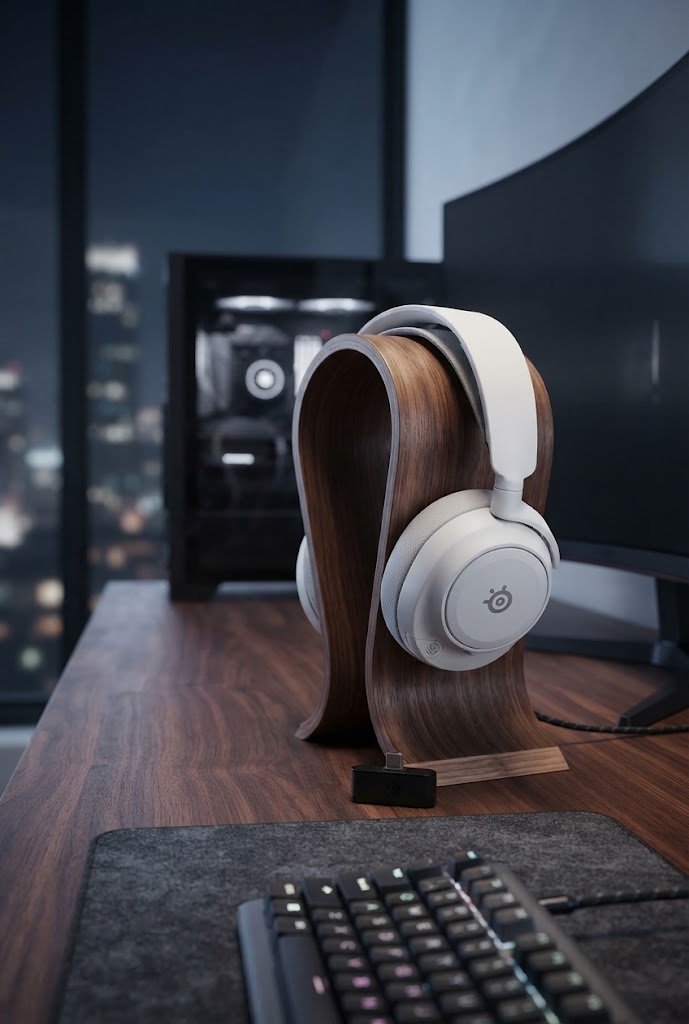
The Nova 7 Gen 2 keeps the familiar Arctis look: a steel headband with an elastic suspension band that spreads the weight across your head. At 325 g it isn’t the lightest wireless headset, but the suspension band makes long sessions comfortable for most people. All the controls sit on the earcups, so you can change volume, balance game and chat with the ChatMix dial, mute the mic, and turn Bluetooth on or off without opening an app.
Sound quality
The 40 mm neodymium drivers cover 20–22,000 Hz and support 360° Spatial Audio. The default tuning is bass-forward and gaming-oriented. You can change it with the Arctis Companion App on your phone (it includes game presets for titles like Call of Duty and Fortnite to help you hear footsteps) or with SteelSeries GG and Sonar on a Windows PC, which adds a parametric EQ and the ChatMix feature.
Simultaneous 2.4GHz + Bluetooth
This is the main reason to buy the Nova 7 Gen 2 over cheaper headsets. SteelSeries confirms that 2.4GHz game audio and Bluetooth audio mix together, so you can play on a PC or PS5 while listening to a podcast or taking a call from your phone. Bluetooth has its own power button on the earcup and doesn’t need the dongle. One thing to know: when you answer a Bluetooth phone call, the mic switches to the call, so your game chat can’t hear you until you hang up.
Microphone
The ClearCast Gen 2 mic is a bidirectional, noise-cancelling boom that retracts into the earcup. SteelSeries says it still picks up sound when retracted, but because it’s directional you should pull it out and keep it close to your mouth for the best quality. Over 2.4GHz the mic’s frequency response reaches 7,000 Hz (6,500 Hz over Bluetooth), which is fine for team chat and Discord but not a replacement for a desktop streaming mic.
Battery life and charging
Battery life is excellent. SteelSeries rates it at up to 54 hours on 2.4GHz, 42 hours on Bluetooth, and 38 hours with both connections active. That’s about a week of evening gaming on one charge. When it runs low, 15 minutes on USB-C gives up to 6 hours of play. The headset is wireless only: there’s no 3.5 mm jack, so you can’t plug it into a controller.
Noise cancelling: what it does and doesn’t do
The Nova 7 Gen 2 has no active noise cancellation for what you hear. The closed earcups block some outside sound passively, but they won’t silence a loud room, a plane, or a train the way ANC headphones do. If you mainly need noise cancelling for travel or the office, a dedicated ANC headphone like the one in our Sony WH-1000XM6 review is the better tool. The Nova 7 Gen 2’s strength is gaming plus phone audio at the same time.
Arctis Nova 7 Wireless Gen 2 Pros and Cons
- ✅ Simultaneous 2.4GHz + Bluetooth audio: game and phone at the same time
- ✅ Up to 54 hours of battery (2.4GHz) plus 15-minute fast charge for up to 6 hours
- ✅ Works across PC, PlayStation, Switch, Mac and mobile with one USB-C dongle
- ✅ Retractable ClearCast Gen 2 mic and full on-earcup controls, including a ChatMix dial
- ✅ Phone app with game presets, plus Sonar EQ on Windows
- ✅ Comfortable steel headband with elastic suspension band
- ❌ No active noise cancellation
- ❌ No 3.5 mm wired connection
- ❌ Not compatible with Xbox (you need the Nova 7X version)
- ❌ ChatMix on PC needs SteelSeries Sonar on Windows 10 or later; on PlayStation, ChatMix is controlled through the on-screen menu only
- ❌ 325 g is heavier than lighter rivals like the Arctis Nova 5 Wireless (265 g)
Arctis Nova 7 Wireless Gen 2 vs. the Best Alternatives
Here’s how the Nova 7 Gen 2 compares with three real alternatives that buyers often shortlist in the same class. Specs come from each manufacturer’s official page or user guide (the Turtle Beach weight is a reviewer measurement). Prices move constantly, so check the current price on Amazon before you decide.
| Arctis Nova 7 Wireless Gen 2 | SteelSeries Arctis Nova 5 Wireless | Razer BlackShark V2 Pro (2023) | Turtle Beach Stealth 700 Gen 3 | |
|---|---|---|---|---|
| Best for | Game + phone audio at once | Budget SteelSeries pick | Esports and mic quality | Multiplatform incl. Xbox |
| Drivers | 40 mm neodymium | 40 mm neodymium | 50 mm TriForce Titanium | 60 mm Eclipse dual drivers |
| Wireless | 2.4GHz (USB-C) + Bluetooth 5.0 | 2.4GHz (USB-C) + Bluetooth 5.3 | 2.4GHz HyperSpeed (USB-A) + Bluetooth 5.2 | Dual 2.4GHz USB transmitters + Bluetooth 5.2 |
| Simultaneous 2.4GHz + Bluetooth audio | Yes | No (Quick-Switch button) | Both connected, toggle with SmartSwitch | Yes |
| Battery life (rated) | Up to 54 h (2.4GHz) | Up to 50 h (2.4GHz) / 60 h (BT) | Up to 70 h | Up to 80 h |
| Active noise cancellation | No | No | No | No |
| Microphone | Retractable ClearCast Gen 2 | Retractable ClearCast Gen 2 | Detachable HyperClear Super Wideband | Flip-to-mute with AI noise reduction |
| Weight | 325 g | 265 g | 320 g | ~405 g (reviewer measured) |
| Buy | Check price | Check price | Check price | Check price |
- SteelSeries Arctis Nova 5 Wireless: the cheaper, lighter sibling (265 g) with the same retractable mic style and longer Bluetooth battery. You switch between 2.4GHz and Bluetooth instead of hearing both at once.
- Razer BlackShark V2 Pro (2023): the competitive pick, with 50 mm TriForce Titanium drivers, a Super Wideband mic, built-in FPS profiles, and up to 70 hours of battery. It stays connected to 2.4GHz and Bluetooth, but you toggle between them with SmartSwitch.
- Turtle Beach Stealth 700 Gen 3: the best choice if you also play on Xbox. The Xbox version’s two USB transmitters cover Xbox, PlayStation, PC and Switch, it mixes 2.4GHz and Bluetooth audio, and it’s rated for up to 80 hours. It’s much bulkier and heavier.
Who Should Buy the Arctis Nova 7 Wireless Gen 2?
- PC and PS5 players who keep their phone nearby and want calls, Discord on mobile, or music mixed in with game audio.
- People who hate charging: up to 54 hours means roughly one charge a week for most players.
- Multi-device households that move one headset between a PC, a PlayStation, a Switch and a phone.
Building a gaming desk? Pair it with a fast monitor such as the budget Samsung Odyssey G3 (G30D) or one of the picks in our best 27-inch 4K monitor under $300 guide.
Before you buy: make sure you pick the right platform version (Nova 7 for PC/PlayStation/Switch, 7X for Xbox). Amazon purchases generally come with a 30-day return window, and SteelSeries lists a 1-year limited warranty in the US.
Is the SteelSeries Arctis Nova 7 Wireless Gen 2 worth it?
Yes, for players who want one wireless headset for gaming and their phone. It mixes 2.4GHz game audio with Bluetooth at the same time, lasts up to 54 hours on 2.4GHz, and works with PC, PlayStation, Switch, Mac and mobile. Skip it if you need active noise cancellation, a wired 3.5 mm connection, or Xbox support.
Does the Arctis Nova 7 Wireless Gen 2 have active noise cancellation?
No. The Arctis Nova 7 Wireless Gen 2 has no active noise cancellation (ANC) for listening. The noise cancellation is on the ClearCast Gen 2 microphone, which is bidirectional and noise-cancelling to reduce background sound in your voice. The closed earcups only block outside noise passively.
How long does the Arctis Nova 7 Wireless Gen 2 battery last?
SteelSeries rates it at up to 54 hours on 2.4GHz wireless, up to 42 hours on Bluetooth, and up to 38 hours when 2.4GHz and Bluetooth are used at the same time. A 15-minute USB-C fast charge gives up to 6 hours of play.
Can I use Bluetooth and the 2.4GHz dongle at the same time?
Yes. The 2.4GHz game audio and Bluetooth audio mix together, so you can hear your game and your phone at once. Bluetooth has its own power button and doesn’t need the dongle. When you answer a Bluetooth phone call, the mic switches to the call and your game chat can’t hear you.
Does the Arctis Nova 7 Wireless Gen 2 work with Xbox?
The standard Arctis Nova 7 Wireless Gen 2 lists PC, PlayStation, Nintendo Switch, Mac and mobile compatibility, not Xbox. For Xbox, buy the Arctis Nova 7X Wireless Gen 2, the Xbox version of the same headset.
Does ChatMix work on PS5?
Yes, but differently than on PC. On a Windows PC, ChatMix uses the dial on the earcup together with SteelSeries Sonar (Windows 10 or later). SteelSeries notes that on PlayStation, ChatMix is controlled through the console’s on-screen menu only.
Sources
- SteelSeries: Arctis Nova 7 Wireless Gen 2 (official specs, compatibility, FAQ)
- SteelSeries: Warranty policy
- SoundGuys: Arctis Nova 7 (Gen 2) specs and lab data
- goukigod: Arctis Nova 7 Wireless Gen 2 video review
- SteelSeries: Arctis Nova 5 Wireless specs
- Razer: BlackShark V2 Pro (2023) technical specifications
- Turtle Beach: Stealth 700 Gen 3
- Amazon: Arctis Nova 7 Wireless Gen 2 product page
Disclaimer: As an Amazon Associate, Smart Home Gen earns from qualifying purchases through the links on this page at no extra cost to you.