
Affiliate disclosure: SmartHomeGen is reader-supported. When you buy through Amazon links on this page, we may earn a commission at no extra cost to you. Prices change often, so always check the current price on Amazon.
Short answer: Pick TP-Link Kasa if you want the cheapest reliable Wi-Fi switch or dimmer for a single-pole box that has a neutral wire, and you don’t mind a plain, budget look. Pick Leviton Decora Smart if you need a proper 3-way setup, a no-neutral option, a nicer Decora-style rocker, or you’re wiring a whole house and want a brand electricians already know. Both work with Alexa, Google Home and Apple Home through Matter on current models, and neither needs a hub for normal use.
We compared the two lineups the way most people actually shop: by what’s in your wall box (neutral or not, single-pole or 3-way), which voice assistant you use, how the switches look and feel, and how much you’ll spend to do a whole room or house. If you’re also considering Lutron, read our Leviton vs Lutron smart switch comparison after this one.
Kasa vs Leviton at a glance
| Feature | TP-Link Kasa | Leviton Decora Smart |
|---|---|---|
| Main Matter models | KS205 switch, KS225 dimmer | D315S switch, D36HD dimmer (3rd gen); D215S, D26HD via firmware update |
| Connection | 2.4 GHz Wi-Fi, no hub | 2.4 GHz Wi-Fi, no hub (no-neutral line uses a Wi-Fi bridge) |
| Neutral wire | Required on the KS205 and KS225 | Required on D2/D3 models; DN15S and DN6HD work without neutral plus the MLWSB bridge |
| 3-way / multi-location | KS225 is single-pole only; separate 3-way kit available | Wired companions (DD00R) or wire-free Anywhere companions (DAWSC/DAWDC) |
| Voice and platforms | Alexa, Google Home, Apple Home (Matter), SmartThings | Alexa, Google Home, Apple Home (Matter), SmartThings, Home Assistant, IFTTT |
| Look and feel | Paddle with small dimmer buttons, basic plastic | Classic Decora rocker, color change kits, more premium feel |
| App | Kasa app (simple, shared with Kasa plugs and cameras) | My Leviton app (rooms, scenes, sunrise/sunset schedules) |
| Cost | Usually the cheapest name-brand option; multi-packs common | Usually more per switch; costs add up for companions and bridges |
| Best for | Renters/DIYers, simple single-pole rooms, tight budgets | 3-way halls and stairs, older homes without neutral, whole-home installs |
Our picks
Best budget smart dimmer: TP-Link Kasa KS225 (Matter)
The KS225 is the switch we’d hand to anyone who just wants to dim the living room lights from their phone without fuss. It connects straight to 2.4 GHz Wi-Fi, sets up over Bluetooth in the Kasa app, and can also be added to Apple Home, Google Home or Alexa with the Matter code on the box. It has three buttons on the paddle (on/off plus brightness up and down), supports fade-on and fade-off, schedules and an Away mode that randomizes lights while you’re traveling.
Watch out for: TP-Link’s own spec sheet says it needs a neutral wire, works with single-pole wiring only (not 3-way), and is rated for 150W of LED or 300W incandescent. That’s plenty for most rooms but not for a big chandelier full of bulbs.
Who it’s for: single-pole bedrooms, living rooms and kitchens with a neutral, especially if you already use Kasa plugs.
Check current price of Kasa KS225 on Amazon
Best budget on/off switch: TP-Link Kasa KS205 (Matter)
For lights you don’t need to dim, like a porch, closet or garage, the KS205 is a simple 15A switch with Matter and Bluetooth onboarding. It handles general loads up to 15A (600W incandescent, small motors up to 1/6 HP), so it also works for a bathroom exhaust fan. Like the KS225, it needs a neutral wire.
Who it’s for: outdoor lights on schedules, fans and anything you only turn on and off.
Check current price of Kasa KS205 on Amazon
Best premium smart dimmer: Leviton Decora Smart D36HD (3rd gen, Matter)
The D36HD is Leviton’s current Wi-Fi dimmer, and it ships with Matter ready out of the box. It’s rated for 300W of dimmable LED, CFL or incandescent, has wire leads and a slimmer body that’s easier to fit in crowded boxes, and lets you set preset levels, fade rates and bulb type in the My Leviton app. It feels like a regular Decora dimmer, which matters if you’re replacing switches next to standard Decora rockers.
Who it’s for: homeowners who want a cleaner look, better dimming control and a path to multi-location control later.
Check current price of Leviton D36HD on Amazon
Best for 3-way switches: Leviton D315S or D215S + companion
This is where Leviton pulls clearly ahead. Kasa’s Matter dimmer doesn’t support 3-way wiring at all, and Kasa’s 3-way option is a separate kit. Leviton lets you put one smart switch (D315S, or the older D215S, which got Matter in a firmware update) at one end and a cheap companion at the other end. If you have a traveler wire, use a wired companion; if you don’t want to touch the second box, a battery-powered Anywhere companion sticks to the wall and lasts about five years per Leviton.
Who it’s for: hallways, stairs and big rooms with two or more switches for the same light.
Check current price of Leviton Decora Smart switches on Amazon
Best for boxes without a neutral wire: Leviton DN6HD / DN15S + MLWSB bridge
Many older homes don’t have a neutral in the switch box. Kasa’s Matter switches and dimmers can’t go there, since both require a neutral. Leviton’s no-neutral dimmer (DN6HD) and switch (DN15S) do, but they talk to your network through the MLWSB Wi-Fi bridge, so budget for that extra piece. Leviton doesn’t list these no-neutral models as Matter devices, so you’ll control them through the My Leviton app and its Alexa and Google integrations.
Who it’s for: older houses where rewiring isn’t worth it. If you want no-neutral plus Apple Home, compare Lutron Caséta in our best smart dimmer switch guide.
Check current price of Leviton no-neutral dimmers on Amazon
Wiring: the deciding factor
Before you compare apps or looks, take the cover plate off (with the breaker off) and check two things.
- Is there a neutral? A neutral is usually a bundle of white wires tied together with a wire nut at the back of the box, not connected to the old switch. If you have it, both brands are on the table. If you don’t, skip the Kasa KS205/KS225 and look at Leviton’s DN line (or Lutron).
- Is it single-pole or 3-way? If two switches control the same light, you have a 3-way circuit. A single-pole Kasa KS225 won’t work there. Leviton’s companion system is the most flexible fix.
Also check box depth. Smart switches are deeper than old toggles. Kasa’s KS225 datasheet asks for a wall box at least 2 inches deep, and Leviton’s newer models are noticeably slimmer with wire leads, which helps in crowded multi-gang boxes. If you’re unsure about your wiring, hire an electrician; it’s a short job and much cheaper than fixing a mistake.
Smart home compatibility and Matter
Both brands now support Matter on their main switches, which means you can add them to Apple Home, Google Home, Amazon Alexa or SmartThings without relying on a brand cloud skill. For Kasa that means the KS205 and KS225; older non-Matter Kasa models like the HS200, HS220 and KS220 work with Alexa and Google through the Kasa skill instead. For Leviton, the 3rd gen D315S and D36HD have Matter built in, while 2nd gen D215S, D26HD, plug-ins, motion dimmer, scene controller and fan controller get Matter through a firmware update in the My Leviton app. First-gen Leviton (model numbers starting with DW) won’t get Matter.
A practical note for Apple users: you can add a Matter switch with just an iPhone, but remote access and automations still need a home hub like an Apple TV or HomePod. Our smart home hub guide explains which hub fits each ecosystem.
Apps and automations
Kasa app: clean and beginner-friendly. You get schedules (including sunrise and sunset), scenes, Away mode and grouping. It’s the same app that runs Kasa smart plugs and cameras, so it’s convenient if you already own those. Local control over your network keeps working in the app and through Matter when the internet is down.
My Leviton app: a bit more “whole home” in style, with rooms, activities and schedules. Leviton says schedules are stored on the device, so they keep running during a temporary internet outage. It also links to Schlage Encode locks to trigger lighting scenes and works with IFTTT, Home Assistant and Sonos.
If you mostly control everything from Alexa, Google Home or Apple Home anyway, the app difference matters less than wiring and price.
Design and build quality
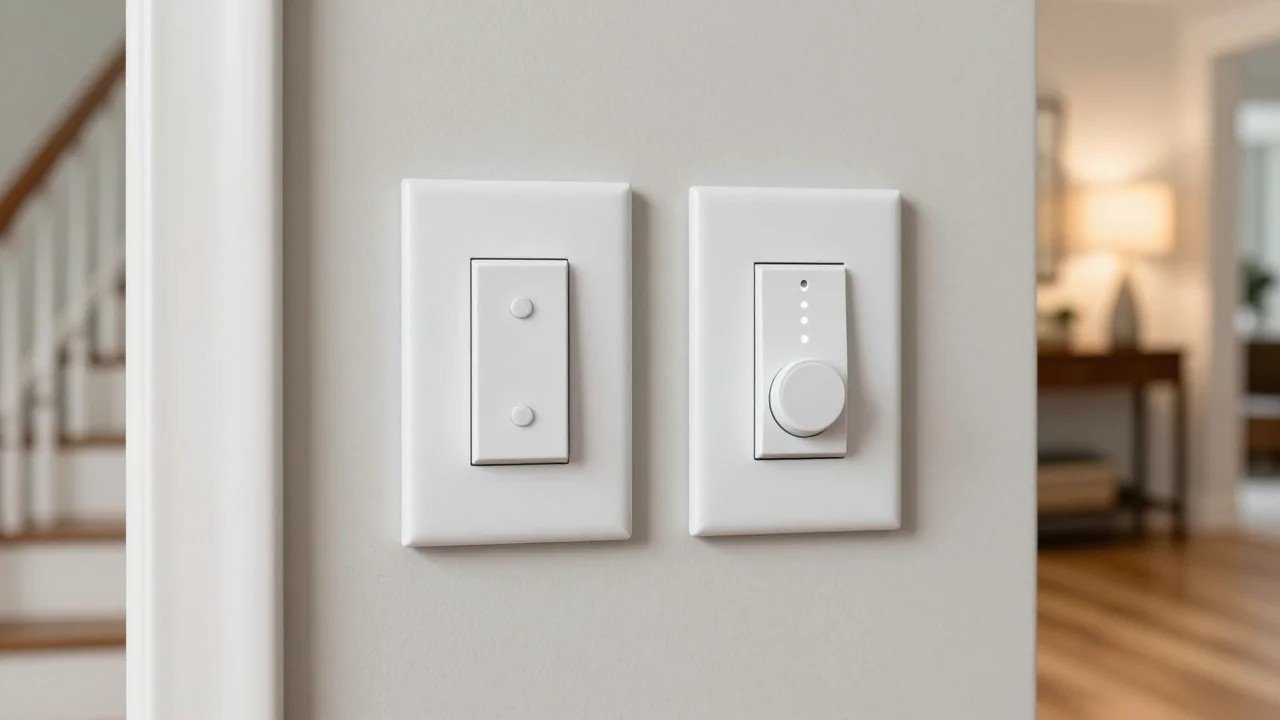
Leviton wins on looks. Decora Smart switches feel like the standard Decora rockers already in most American homes, and Leviton sells color change kits in white, black, light almond, ivory, gray and brown. Kasa switches look fine but plainer, with a large paddle and small dimmer buttons; they’re clearly a budget product up close.
Cost: doing one room vs a whole house
For a single room with a neutral, Kasa is almost always the cheaper way in, and multi-packs bring the per-switch cost down further. Leviton costs more per device, and the bill grows if you need companions for 3-way circuits or a bridge for no-neutral boxes. But for a whole-house project with mixed wiring, Leviton can actually be simpler because one system covers single-pole, 3-way and no-neutral spots. Check current prices for both before you buy, since switch multi-packs go on sale often, especially around Black Friday.
Which should you buy?
- Buy Kasa if you have neutral wires, single-pole switches, a tight budget, or you already use Kasa smart plugs. Start with the KS225 for dimmable rooms and the KS205 for on/off loads.
- Buy Leviton if you have 3-way switches, boxes without neutral, want a Decora look that matches the rest of your home, or you’re planning a bigger whole-home install.
- Consider neither if you rent and can’t change wiring. Smart plugs for lamps or smart bulbs are easier: see our best smart plug guide and best smart light bulbs guide. Never put a smart bulb on a smart dimmer, though; use a regular on/off switch or keep the dimmer at full.
FAQ: Kasa vs Leviton smart switches
Is Kasa or Leviton better?
Neither is better for everyone. Kasa is the better value for simple single-pole circuits with a neutral. Leviton is better for 3-way circuits, older homes without neutral wires, and anyone who cares about a premium Decora look.
Do Kasa smart switches need a neutral wire?
Yes. TP-Link lists a neutral wire as required for the KS205 and KS225, its current Matter switch and dimmer. If your box has no neutral, look at Leviton’s DN line or Lutron Caséta instead.
Does Leviton make a smart switch that doesn’t need a neutral?
Yes. The Decora Smart DN6HD dimmer and DN15S switch work without a neutral, but they need Leviton’s MLWSB Wi-Fi bridge to connect to your network.
Do Kasa and Leviton switches work with Apple HomeKit?
Yes, through Matter. Kasa’s KS205 and KS225 and Leviton’s Matter-enabled Decora Smart models can be added to Apple Home with the Matter setup code. Older non-Matter Kasa switches rely on Alexa and Google instead.
Can I use a Kasa switch for a 3-way light?
Not the KS225 dimmer; TP-Link says it’s single-pole only. Kasa sells a separate 3-way kit. Leviton’s system is more flexible, since any Decora Smart switch can pair with a wired or wire-free companion for multi-location control.
Do I need a hub for Kasa or Leviton?
No for most models. Both connect directly to 2.4 GHz Wi-Fi. The exception is Leviton’s no-neutral line, which needs the MLWSB bridge. If you use Apple Home, you’ll want a home hub for remote control and automations.
Can I mix Kasa and Leviton switches in the same house?
Yes. With Matter, both show up side by side in Apple Home, Google Home, Alexa or SmartThings, so you can use Kasa in simple rooms and Leviton where you need 3-way or no-neutral support.
Last updated October 18, 2026. Specs come from TP-Link Kasa and Leviton product pages and spec sheets. We don’t list prices because they change daily; use the Amazon links above to check the current price.