

Affiliate disclosure: This article contains affiliate links. If you buy through these links, we may earn a commission at no additional cost to you. As an Amazon Associate I earn from qualifying purchases. Learn more.
Introduction
In today’s fast-paced world, managing a family schedule can be a Herculean task. With busy work lives, kids’ activities, and varying personal commitments, many families find themselves juggling multiple calendars, sticky notes, and reminders across devices just to keep everything organized. Enter the Skylight Calendar 2, a 15-inch Full HD touchscreen digital calendar designed to serve as the central hub for family coordination. This innovative device takes the stress out of scheduling, allowing you to see your daily commitments clearly and effortlessly.
The Skylight Calendar 2 is currently priced at $279.99, discounted from its original price of $319.99. This price point opens a world of possibilities for households looking to streamline their planning process with modern technology without breaking the bank. It’s perfect for families seeking organization tools that cater to their specific needs, including those who struggle with ADHD or simply desire a straightforward way to manage daily activities.
Visual Guide
Detailed Performance Analysis
Design & Build Quality
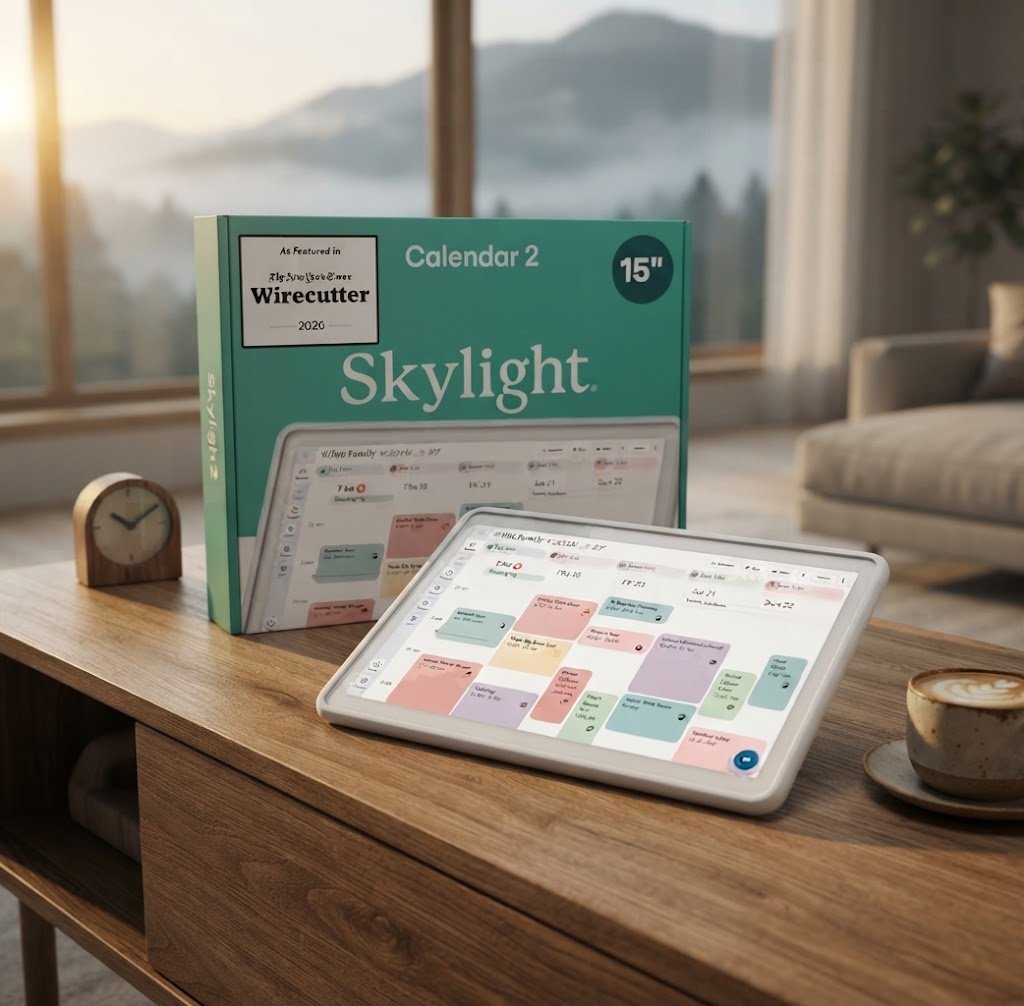
The Skylight Calendar 2 boasts a sleek, modern design that blends seamlessly into any home environment. With a 15-inch Full HD touchscreen, it is large enough to be easily readable from a distance yet compact enough to fit on most countertops or walls. The device is made with high-quality materials that ensure durability and longevity. Additionally, it includes both a kickstand for countertop placement and wall mounting options, giving you flexibility in its positioning. The minimalist aesthetics underscore its functionality, as the interface is clean and user-friendly, devoid of any intricate distractions.
Real-World Performance
When it comes to performance, the Skylight Calendar 2 does not disappoint. It seamlessly syncs with existing calendars ranging from Google and iCloud to Outlook, allowing for easy integration into your current ecosystem. The touchscreen interface is incredibly responsive, making navigation smooth and intuitive. Users have reported a marked improvement in family organization, citing the visual nature of the calendar as a key feature that facilitates clear communication and reduces misunderstandings about schedules and responsibilities. The device’s Wi-Fi connectivity ensures that updates are instant, meaning any changes made on a smartphone or tablet appear on the calendar in real-time.
Ease of Use
Ease of use is a hallmark of the Skylight Calendar 2. Setting it up takes mere minutes; you simply connect to your Wi-Fi, and the integrated prompts help you sync with your preferred calendars. Once set up, its color-coded system allows family members to easily differentiate between each person’s responsibilities, making it a perfect organizational tool for families with various activities. Unlike other digital calendars, there are no complicated commands to master—everything is designed with a family-oriented mindset that prioritizes functionality over technicality.
Deep Specs Table
| Feature | Specification |
|---|---|
| Screen Size | 15 inches |
| Display Type | Full HD Touchscreen |
| Storage | 16GB |
| RAM | 4GB |
| Connectivity | Wi-Fi |
| Mounting Options | Wall or Countertop |
Smart Buyer’s Guide
One of the greatest advantages of purchasing the Skylight Calendar 2 is the added peace of mind that comes with Amazon’s protection policies. The product is eligible for a 30-day return policy, allowing buyers to experience the full benefits of the calendar without any long-term commitment upfront. Additionally, users can rely on manufacturer warranties to cover technical issues, ensuring that investments made in smart home technologies like the Skylight Calendar 2 are safeguarded.
Pros and Cons
- ✅ Easy Integration: Syncs seamlessly with multiple calendars and platforms.
- ✅ Sleek Design: Modern and aesthetically pleasing for any home setup.
- ✅ Large Display: The 15-inch screen makes visibility easy for families of all sizes.
- ✅ User-Friendly Interface: No complicated setup; ideal for all ages.
- ❌ No Voice Input: Lacks built-in voice command features, limiting interaction methods.
- ❌ Pricey for Some: Higher cost may deter budget-conscious families.
Competitor Comparison
| Comparison Criteria | Skylight Calendar 2 | Cozyla | Hearth |
|---|---|---|---|
| Top Selling Point | Large Display and Easy Sync | Affordable and Simple Design | Voice-Control Features |
| Build Quality | Premium Materials, Stylish Finish | Basic | Sturdy |
| Main Tech Specs | 15″ Full HD, 16GB Storage | 10″ Screen, 8GB Storage | 20″ Screen, 32GB Storage |
| Biggest Weakness | No Voice Features | Limited Functionality | Higher Price Point |
| Approx. Price | $279.99 | $199.99 | $349.99 |
| Rating | 4.4 Stars | 4.0 Stars | 4.5 Stars |
| Buy Button | Buy Skylight Calendar 2 | Buy Cozyla | Buy Hearth |
Why This Deal is Unmissable
With the Skylight Calendar 2 marked down to just $279.99, you’re not just making an investment in a device; you’re creating a more organized and calm home environment. The convenience of having a centralized digital calendar versus juggling multiple tools is invaluable. With Amazon’s 30-day return policy, there’s little risk involved in trying this innovative product, especially given the substantial savings from the original price of $319.99. Investing in this calendar equates to investing in your family’s peace of mind and better daily lives.
Tech Expert’s Verdict
In conclusion, the Skylight Calendar 2 is a standout digital planning device that simplifies the way families manage schedules. Its thoughtful design, seamless integration, and user-friendly interface make it a top choice for households of all sizes. Although it lacks some advanced features such as voice input, the benefits of using this calendar far outweigh its drawbacks. If you’re looking for a functional, attractive solution to family scheduling, the Skylight Calendar 2 is well worth the investment.
FAQs
Is the Skylight Calendar 2 easy to set up?
Yes, the Skylight Calendar 2 has a straightforward setup process that takes a few minutes. You simply need to connect it to Wi-Fi and sync your calendars.
What types of calendars can be synced?
The Skylight Calendar 2 is compatible with popular platforms such as Google, iCloud, Outlook, and Cozi, making it versatile for various households.
Can I mount the Skylight Calendar 2 on the wall?
Yes, the Skylight Calendar 2 comes with wall mounting options, making it easy to hang up in a common area for everyone to see.
Does the Skylight Calendar 2 have a warranty?
Yes, the Skylight Calendar 2 typically comes with a manufacturer warranty, protecting your purchase against potential defects.
Sources and References
Disclaimer: As an Amazon Associate, Smart Home Gen earns from qualifying purchases through the links on this page at no extra cost to you.
For more expert reviews and guides on smart home technologies, be sure to explore more at smarthomegen.com.